Your site photos,
dimensioned, annotated
and ready to share.
Record your measurements, add angles, areas and notes, then export a clear report. JPEG with Light and Starter; PDF and editable .snapcote files with Premium.
Light free. Starter €9.99 · Premium launch €13.99.
Three steps to a clean site report
Photo, annotation, export: a simple workflow, even on site.
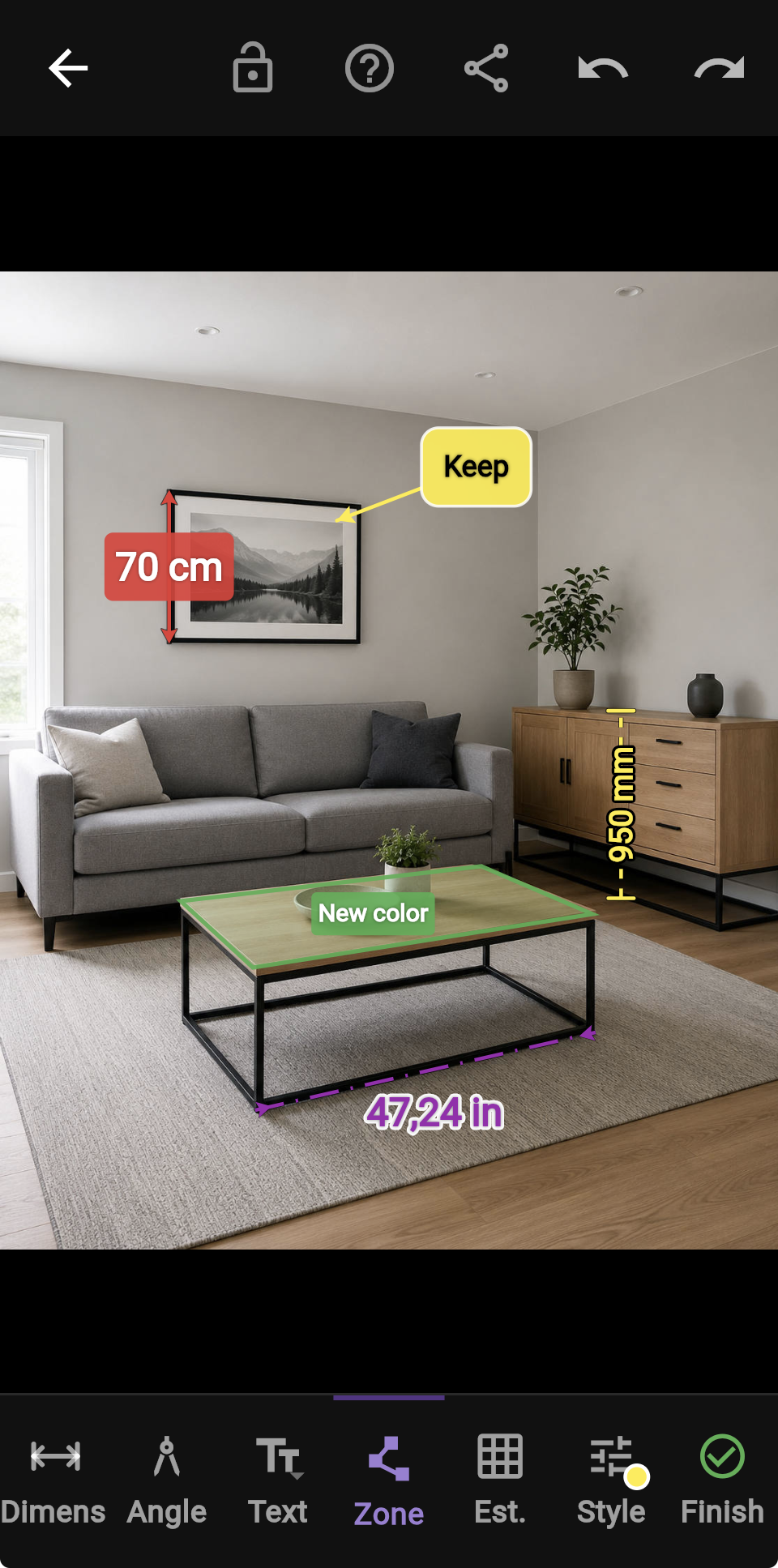
Photograph
Take a photo directly in the app or import an existing image from your gallery.
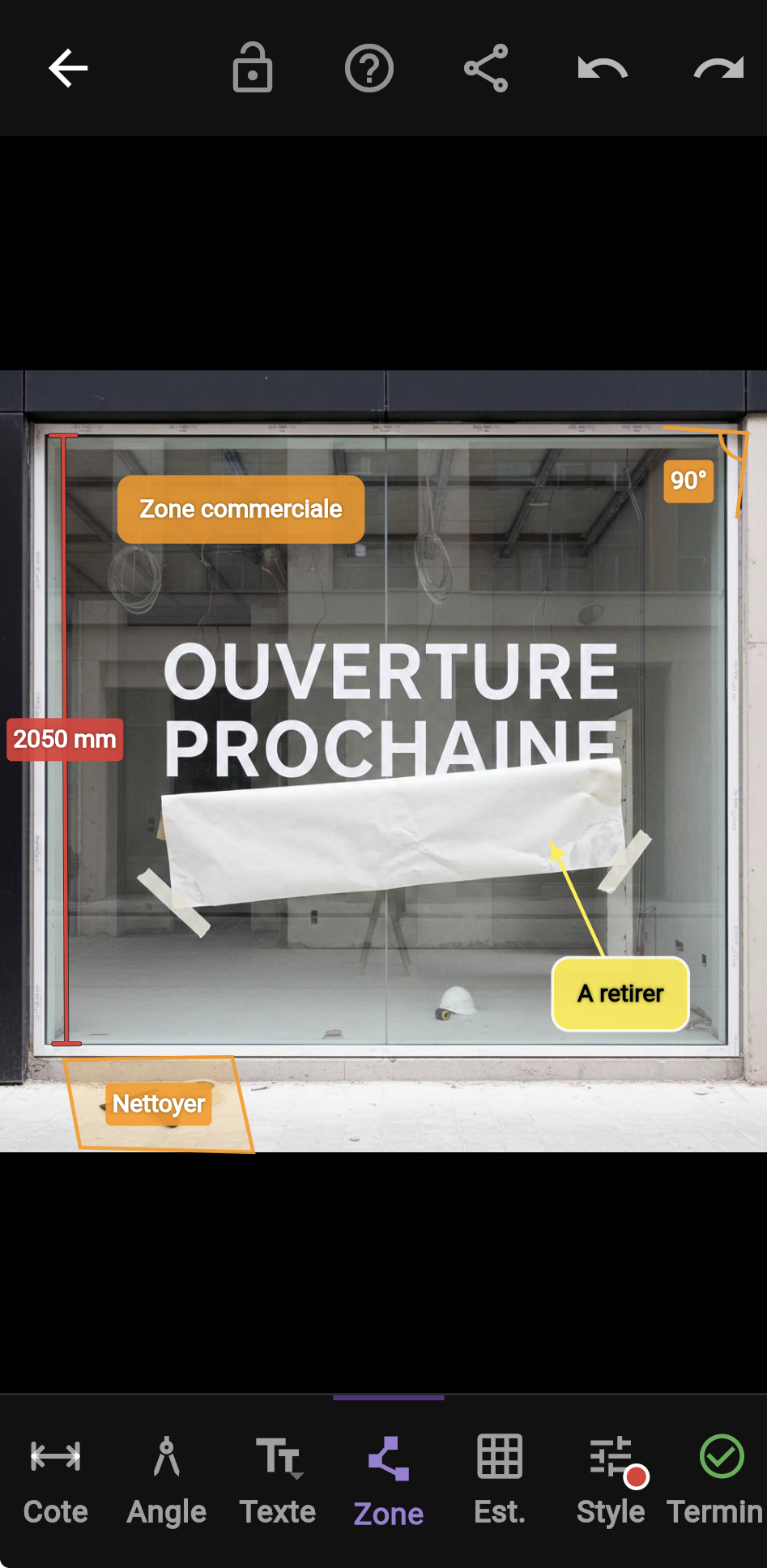
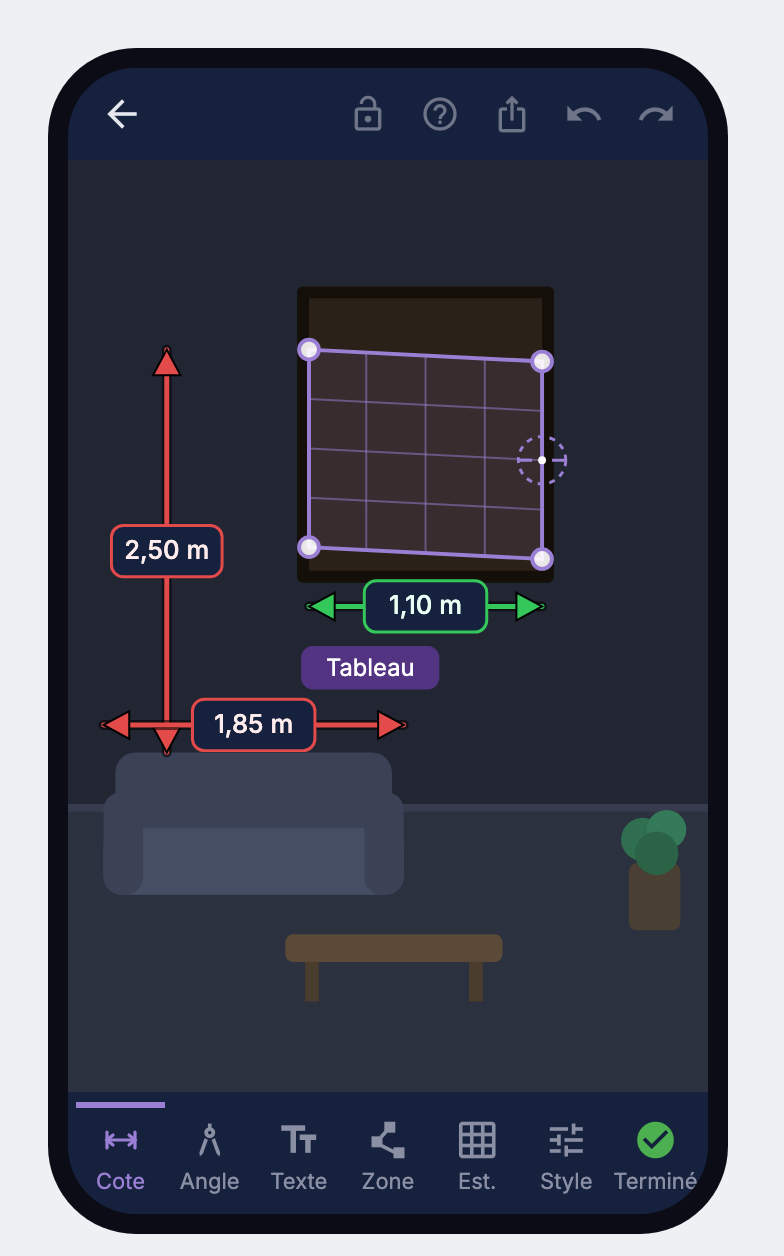
Record and annotate
Enter your site measurements, then add angles, areas and instructions. Calibration is optional.
Export
Download your report as JPEG. Premium adds site PDF export and the editable .snapcote file.
Built to produce field-ready deliverables
More rigorous than a basic photo measurement app, without making the workflow heavier.
4-point plane calibration
Compensates perspective for accurate measurements inside the reference plane.
Metric + imperial
Work in mm, cm, m, inches or feet depending on the project and country.
Automatic area output
Calculate calibrated areas in m² or ft² on a closed shape.
Consistent units
Keep the whole report readable and coherent in the chosen measurement system.
Lockable annotations
Freeze drawings to avoid accidental changes during field work.
Renamable photos
Organise views by facade, room or zone and find the right shot quickly.
Professional deliverables
JPEG, site PDF and editable .snapcote export depending on your plan.
100% offline
No forced cloud, no account, no data collection.
Accurate perspective-based measurement, not rough visual scaling.
SnapCote is first and foremost a photo annotation app for reporting dimensions, notes and field instructions. Its Estimate tool calibrates a plane from a 4-point reference and a known dimension to auto-derive other dimensions and areas on that same plane. This is a more rigorous geometric approach than a simple visual scale, which makes it better suited to producing clean professional field deliverables.
Your photos stay on your device.
No data sent, no server, no account. Everything is processed locally on your device. GDPR-compliant by design.
Share editable reports
With SnapCote Premium, unlike a flat JPEG or PDF, the .snapcote file keeps the photos, dimensions and annotations in a reopenable, editable format. It lets you hand a field report to the office, a colleague or a client without losing the editable data or the calibration logic.
One file only
All photos and all dimensions for a project bundled together. Nothing to zip, nothing to lose.
Reopen and edit
The recipient opens it in SnapCote, reviews it, adjusts dimensions, adds notes and exports again.
Transfer a project
Hand a report from the field to the office, or from sales to installers, without re-entering anything.
The .snapcote file is available in Premium only. Share it by email, AirDrop or Drive, while staying 100% local. Under study: link sharing to a lightweight web viewer so a recipient can review a report without installing SnapCote.
Simple pricing, no subscription
One-time purchase. Updates within the purchased scope included. No subscription.
Light
Test / occasional use
Private or occasional use
- Up to 2 photos
- Dimensions, angles, areas, text and labels
- Plane calibration and reference-based estimation
- Metric or imperial units
- JPEG export with watermark
- 100% offline
- No sign-up or email required
Starter
One-time purchase · unlimited photos · watermark-free JPEG
Regular personal or occasional field use
- Everything in Light, plus:
- Unlimited photos
- Watermark-free JPEG export
- Smoother day-to-day reporting
- Updates within the purchased scope included
- No account — an email is only used to receive your licence key
Premium
One-time purchase · site PDF · importable, editable .snapcote
Architect, quantity surveyor, electrician, painter, installer
- The full current version:
- Unlimited photos
- Site PDF export
- Editable .snapcote file
- Import / reopen .snapcote files
- Watermark-free exports
- Updates within the purchased scope included
- No account — an email is only used to receive your licence key
One-time purchase. Updates within the purchased scope included. No subscription. Major new features may be offered separately.
🔒 Secure Stripe checkout · Licence key by email · No subscription
Published and sold by WECOM SAS, a French company focused on field tools for professionals.
Team
Construction / trades · signage / installation · field teams
Multi-seat · volume pricing
- Everything in Premium, plus:
- Company logo on exports (white label)
- Multi-seat licences
- +Collaborative features, export customisation, multi-seat licences and report sharing are coming. Under study: link sharing to a lightweight web viewer so a recipient can review a report without installing SnapCote.
From photo to deliverable, without friction
Simple workflow, rigorous geometry, field-oriented output.
Start
Take / import a photo
The photo opens directly in the editor. Camera or gallery.
Rename / organise
Store each photo in a project, rename views and find the right facade or room quickly.
Choose a unit system
Work in metric or imperial depending on the site, client or country.
Calibrate and measure
4-point reference
Place a plane reference and enter one known dimension to calibrate perspective correctly.
Dimension
Drag to draw a measurement, adjust handles and enter the value in the chosen unit.
Angle
Draw the first side then the second from the vertex: the angle is calculated automatically.
Area + surface
Draw a closed area to delimit, annotate and calculate its calibrated surface in m² or ft².
Plane-based estimation
Auto-derive other dimensions on the same plane. More rigorous than rough scaling, but still to be verified for critical values.
Annotate clearly
Text, markers, labels
Add clear notes for the office, installers or the end client.
Precision magnifier
While drawing, a magnifier shows the exact point under your finger for pixel-perfect targeting.
Zoom
Pinch with 2 fingers or double-tap to zoom and pan comfortably.
Secure
Lock
The lock freezes annotations to avoid accidental edits in the field.
Keep units consistent
Maintain a readable report in the selected system instead of mixing incompatible units.
Style and readability
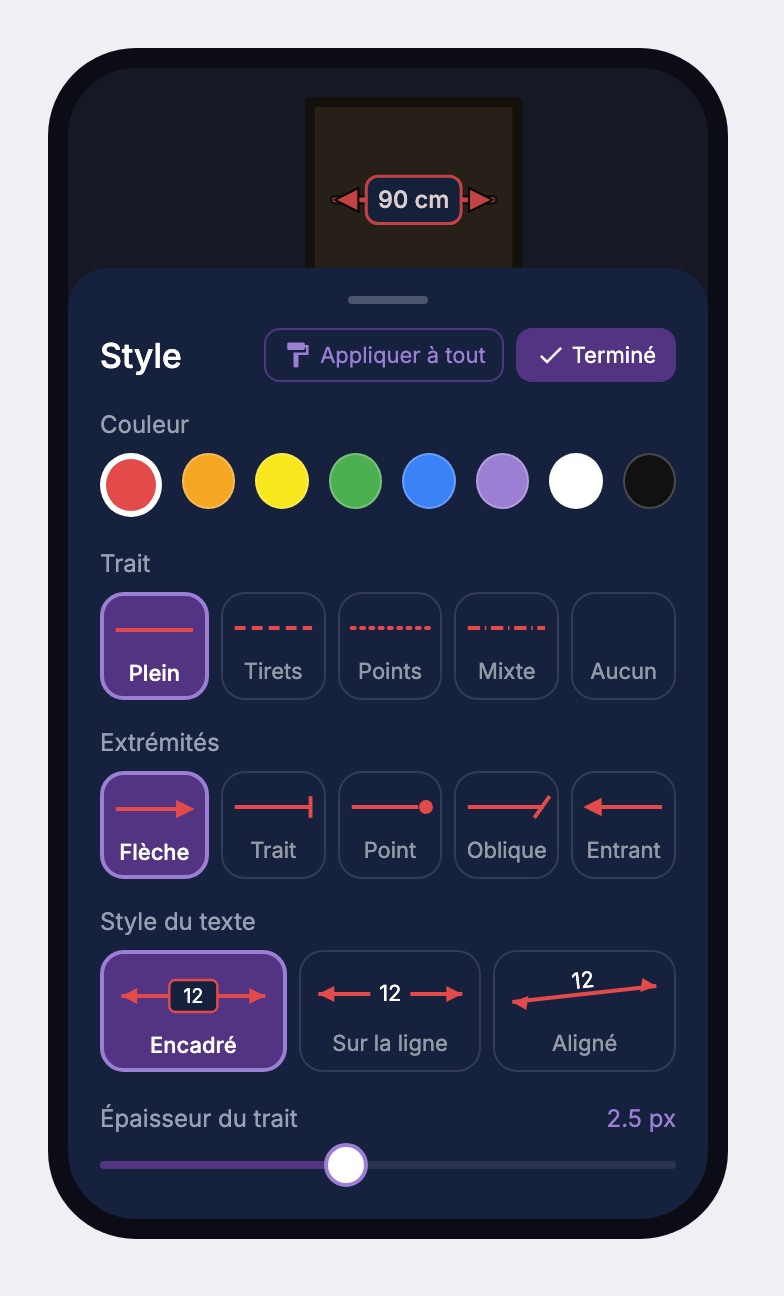
Colour, thickness, line type, text and layout stay adjustable for a cleaner deliverable.
Correct quickly
Select, edit or delete an annotation without rebuilding the whole photo.
Export and hand over
Light / Starter → JPEG
Export a quick annotated image for fast communication.
Premium → site PDF
Produce a cleaner deliverable for office review, client approval or installation.
Premium → .snapcote
Hand over an editable report with photos, dimensions, annotations and calibration preserved.
100% offline
Everything stays local on the device, with no forced cloud or network dependency on site.
Frequently asked questions
Does SnapCote measure a photo automatically?
SnapCote is primarily for recording site measurements and annotating photos. Estimation is optional: a four-point reference with known dimensions lets you infer dimensions in the same plane. These values remain estimates and do not replace measurements taken with a professional tool.
What is the difference between Light, Starter and Premium?
Light lets you try two photos and watermarked JPEG exports. Starter adds unlimited photos and watermark-free JPEG exports. Premium adds site PDFs and editable .snapcote files, including import and reopening. Choose Starter to share images, or Premium to hand over editable reports.
Can a colleague edit my report?
Yes, using a .snapcote file and a Premium version that can import and reopen it. This format keeps photos and annotations editable. JPEG and PDF files are easy to view but remain fixed. The .snapcote format is exclusive to Premium.
Does the app work without a network?
You need a connection for the initial load, updates and purchases. Once the app resources are available on your device, you can annotate and export offline. Before leaving for a site, open the app and check that it works in airplane mode. Clearing browser data can remove resources needed for offline use.
Are my photos sent to a server?
Your photos and annotations are processed and stored locally on your device. They are not sent to WECOM for processing. Purchases go through Stripe and use information such as your email to deliver the licence, separately from your reports. If you share an export through a third-party service, that service’s rules apply.
How should I back up my reports?
Export reports regularly to a location you control. JPEG and PDF preserve a fixed view; Premium lets you save an editable .snapcote copy. Do not rely solely on browser storage: clearing its data, losing a device or switching devices can mean losing local reports.
Does my purchase include future updates?
Starter and Premium are one-time purchases with no subscription or automatic renewal. Fixes and improvements within the purchased scope are included. Major new features, versions or modules sold as a separate offer are not automatically included.
How do I activate Starter or Premium?
After payment, you receive a licence key by email. Enter it in the app under Preferences → Licence. If the email is missing, check your spam folder before contacting support.
Do I need to install an app?
SnapCote runs in a compatible browser on a phone, tablet or computer. You can add it to your home screen for easier access. No account is needed to get started.
Can I choose metric or imperial units?
Yes. Select metric or imperial in preferences, then choose the dimension unit: mm, cm, m, inches or feet. Enter the value in the selected unit. Area estimation relies on calibration of the reference plane.
Ready to annotate like a pro
your first photo?
No install. No account. Results in under a minute.
Try it freeFree · No account · No install